Command Line
One binary, your whole workstation
Run devforgekit with no arguments for the full-screen dashboard, or reach any of fifteen subsystems directly. Every command works in scripts, CI, and dumb terminals.
Overview
The command hierarchy
Core
Provision, maintain, and diagnose the whole workstation.
devforgekit doctor --fixRegistry
Search, inspect, and install from 261 curated packages.
devforgekit search postgres --category databasesProfiles & Recipes
Install complete environments as one unit.
devforgekit recipe install ai-engineerProjects
Scaffold production-ready projects for 17 stacks.
devforgekit new nextjs my-appPlugins
The full SDK lifecycle, Ed25519-signed.
devforgekit plugin create my-plugin --template simple-commandWorkspace
Per-project context: git, SSH, env, secrets, Docker, K8s, cloud.
devforgekit workspace switch client-projectAI
Chat, diagnose, review, generate, and plan with 7 providers.
devforgekit ai doctor "flutter doctor shows errors"Graph
Visualize and query your entire environment.
devforgekit graph impact nodePackage Intelligence
Analyze what is actually installed.
devforgekit package orphanBenchmark
Measure and grade your machine across 12 categories.
devforgekit benchmark quickRepair
Scan, plan, and heal, with rollback.
devforgekit repair scanCompatibility & Snapshots
Validate tool combinations; archive entire environments.
devforgekit compatibility scanExplore
Search every command
Filter by category or type to search. Hover a command to copy it.
125 commands
Core
installuninstallupdatebackuprestoreself-updatecheckdoctorvalidateinventoryreportservicescleanpreferencesdashboardconfigtheme listtheme usecompletionenv doctorenv regenerate
Registry
component installcomponent listsearchcollection installinfostatsregistry generateregistry statsregistry verifyregistry doctorregistry audit
Profiles & Recipes
profile listprofile showprofile useprofile installprofile createprofile exportprofile importrecipe listrecipe showrecipe installrecipe create
Projects
new --listnew <stack> [name]new <stack> --quality
Plugins
plugin createplugin testplugin buildplugin packageplugin publishplugin installplugin validateplugin qualityplugin doctorplugin trustplugin keygen
Workspace
workspace createworkspace switchworkspace showworkspace verifyworkspace snapshot createworkspace snapshot restoreworkspace rollbackworkspace env setworkspace exportworkspace health
AI
ai chatai doctorai explainai reviewai generateai analyzeai plannerai modelsai providersai key addai setupai history
Graph
graphgraph opengraph searchgraph explaingraph exportgraph pathgraph impactgraph conflictsgraph orphangraph focus
Package Intelligence
package analyzepackage infopackage treepackage orphanpackage duplicatespackage unusedpackage outdatedpackage recommendpackage impactpackage compareexplain
Benchmark
benchmark quickbenchmark standardbenchmark fullbenchmark comparebenchmark historybenchmark trendbenchmark intelligencebenchmark report
Repair
repair scanrepair planrepair installrepair explainrepair verifyrepair rollbackrepair historyrepair exportrepair benchmark
Compatibility & Snapshots
compatibility scancompatibility checkcompatibility explaincompatibility repairsnapshot createsnapshot restoresnapshot diffsnapshot verify
TUI
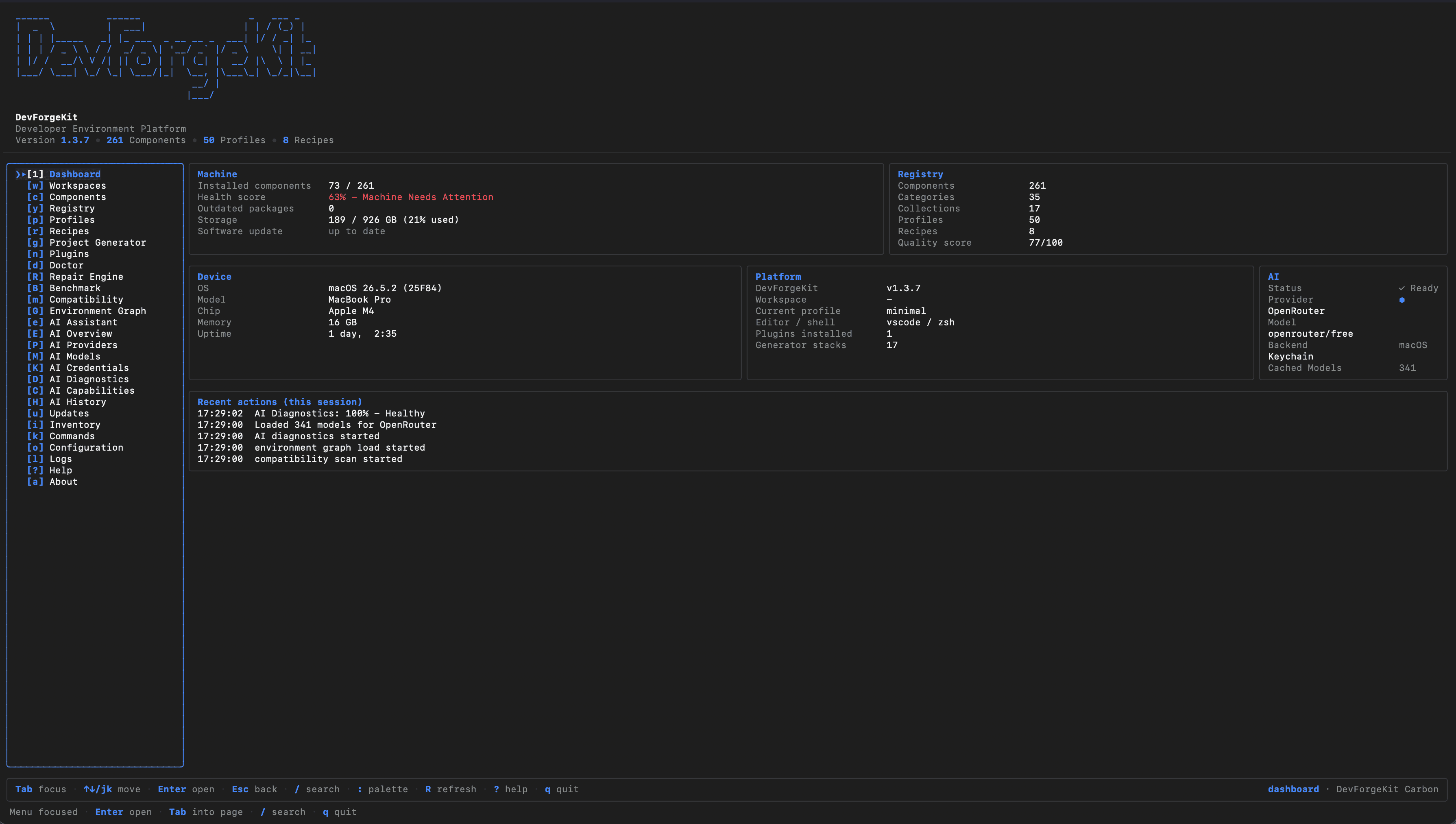
No arguments? Full dashboard.
Running devforgekit with no arguments opens the 28-page interactive dashboard. Any argument at all takes the classic CLI path, so scripts and CI never accidentally hit a UI.
Two ways in
bash
devforgekit # dashboard
devforgekit doctor # classic CLI
Learn five commands, get the rest free
install, new, doctor, workspace switch, and repair cover most days; everything else is discoverable from the dashboard.